Submit an App
Learn how to submit applications to OpenLib.
Anyone can suggest an open-source app for OpenLib. Submissions are reviewed before they appear in the public library.
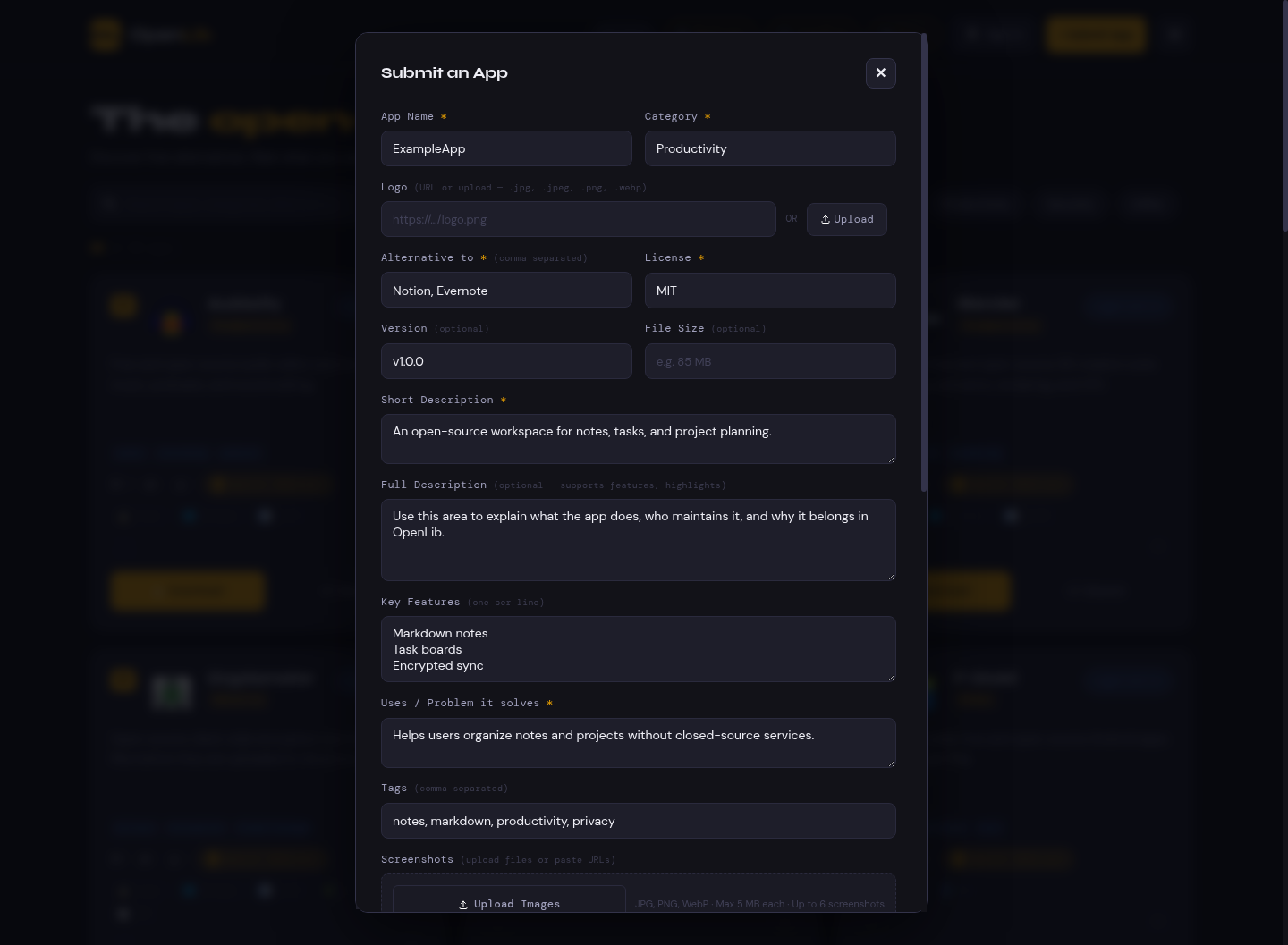
How app submission works #
Submitting an app is a structured review request. The submitter provides metadata, links, categories, tags, platform support, and context about what the app replaces. Maintainers review that information before the app becomes public.
The workflow is intentionally conservative:
- A user submits a candidate app.
- OpenLib stores the submission for review.
- Maintainers check source availability, license, safety, and metadata quality.
- The submission is approved, rejected, or sent back for changes.
- Approved apps become public library entries.
This keeps the public library useful without making every visitor judge raw, unreviewed submissions.
Before you submit #
Make sure the app has:
- A public source repository.
- A clear open-source license.
- A stable project name and homepage or release page.
- Enough description for a new user to understand what it does.
- Accurate platform and category information.
How to use the submit form #
Use the form as if you were explaining the project to someone who has never heard of it.
Start from the Submit App button in the OpenLib header. If you are not signed in, OpenLib asks you to sign in first so the submission can be tied to an account and reviewed safely.
- Enter the official project name.
- Write a short description in plain language.
- Add the source repository URL.
- Add the official website or release page when available.
- Choose the closest category.
- Add tags that describe features, platforms, protocols, and workflows.
- List proprietary apps or services this project can replace.
- Add platform and install information.
- Review all links before submitting.
If you maintain the project, include enough context for reviewers to confirm ownership and official links.
Submission fields #
| Field | What to enter |
|---|---|
| Name | The official app or project name |
| Description | A short, plain-language summary |
| Source | Repository URL, preferably GitHub, GitLab, Codeberg, or a project forge |
| Website | Official project website when available |
| License | SPDX-style license name when possible |
| Alternative to | Proprietary or closed apps this project can replace |
| Platforms | Operating systems, web support, or self-hosting targets |
| Tags | Searchable feature and workflow labels |
Review flow #
- Submit the app from the OpenLib website.
- A maintainer checks source, license, category, and safety signals.
- The submission is approved, rejected, or sent back for changes.
- Approved apps become public and can receive reviews and edit requests.
Markdown example for maintainers #
## Review notes

- Source repository is public.
- License is listed in the repository.
- Category and platforms match project documentation.
Common rejection reasons #
- No source code is available.
- License is missing or not open source.
- Download link points to unsafe or unrelated files.
- The app is abandoned and has known severe security issues.
- The submission duplicates an existing OpenLib entry.
Submission quality checklist #
Before pressing submit, confirm:
- The source URL opens without authentication.
- The license is visible in the repository or website.
- The project name matches the upstream project.
- The description does not make unsupported claims.
- Download and website links point to official project resources.
- Tags are useful for discovery and not promotional.
- The app is not already listed in OpenLib.
Contributors
- OpenLib Team